In short:
- Logistics automation replaces repetitive shipping tasks with systems that operate independently.
- It starts with digitizing, connecting, and automating processes—not just with technology.
Logistics automation means replacing manual, repetitive shipping tasks with systems that perform those tasks automatically. For e-commerce entrepreneurs shipping internationally, this results in fewer errors in label generation, faster customs processing, and real-time shipment visibility. The most effective logistics automation steps begin not with technology but with processes: first digitize, then connect, then automate. Systems like WMS (Warehouse Management System), ERP (Enterprise Resource Planning), and API integrations form the technical backbone. Those who follow these steps in the right order save measurable time and reduce the risk of costly errors in international shipments.
Which tools are crucial for automating shipping processes?
The three systems that form the foundation of logistics automation are WMS, ERP, and shipping software. A WMS manages inventory and warehouse operations. An ERP connects orders, finances, and customer data. Shipping software translates that combined data into labels, track & trace, and carrier selection.

The power lies in the connection between these systems via API integrations. Without APIs, each system speaks a different language. With a well-configured API integration, a new order automatically generates a shipping document, selects the right carrier, and sends the customer a tracking link. Track & trace automation directly reduces manual handling of customer inquiries.
For smaller e-commerce businesses, a full ERP isn’t always necessary. No-code tools like n8n or Make are available for a small monthly fee and can connect simple workflows without programming knowledge. This makes automation financially feasible for SMEs as well.
Software Category | Primary Function | Suitable For |
|---|---|---|
WMS | Inventory management and warehouse processes | Businesses with their own warehouse |
ERP | Integration of orders, finances, and customer data | Medium to large online stores |
Shipping Software | Label generation, carrier selection, track & trace | All e-commerce businesses |
No-Code Automation | Connecting workflows without code | Small online stores and startups |
API Integration | Connecting systems for data flow | Any environment with multiple tools |
Pro tip: Start with shipping software that directly integrates with your e-commerce platform. This delivers the fastest time savings without requiring a full ERP.
How do you map your logistics processes?
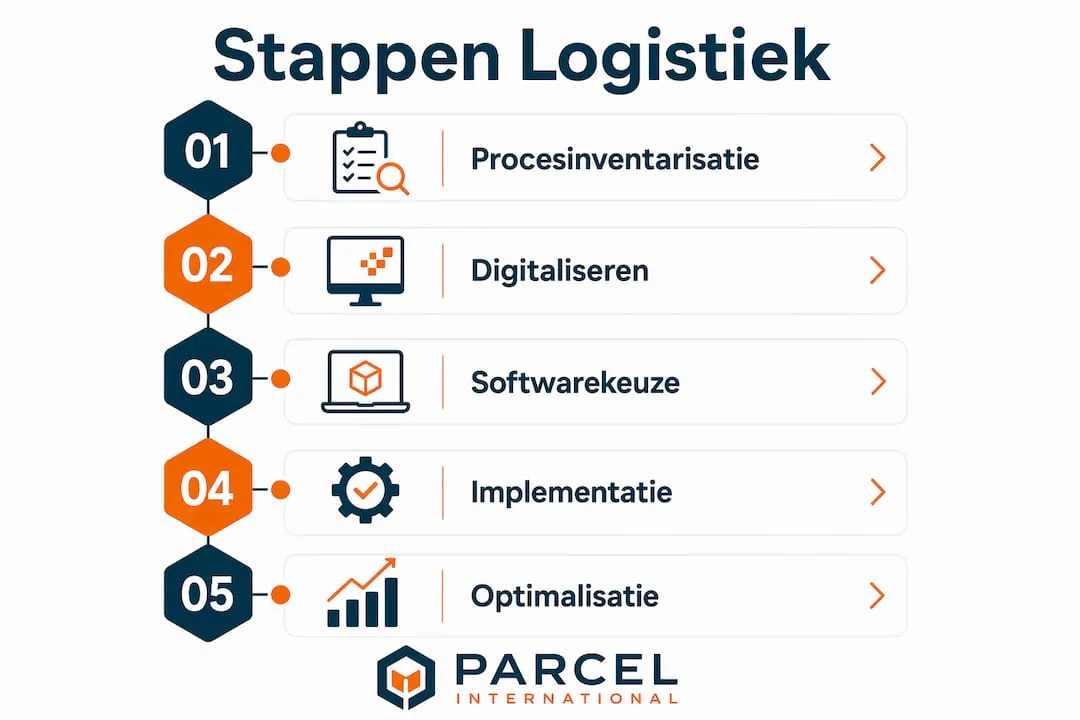
Process inventory is the step most entrepreneurs skip—and precisely why automation fails so often. You can’t automate a process you don’t fully understand. Begin by documenting every step from order receipt to package delivery.
Use the following approach:
- List every manual process. Note who does what, how long it takes, and how often it occurs per day.
- Identify the most error-prone steps. Errors in address entry, label printing, or customs documentation cost the most time and money.
- Measure the time per task. Without measurement, you won’t know where the biggest gains are.
- Set KPIs. Consider: number of errors per 100 orders, average processing time per shipment, percentage delivered on time.
- Involve your employees. They know the exceptions and bottlenecks you, as a manager, don’t see daily.
KPIs aren’t optional. They’re the only way to measure whether automation is actually working after implementation. Without a baseline, you have nothing to compare. A well-configured digital system provides real-time insights, fewer errors, and less time loss. That real-time visibility starts with capturing the right metrics before making any changes.
Pro tip: Digitize fully before automating. An automated process running on paper input or standalone spreadsheets increases errors instead of reducing them.
How do you implement automation step by step?
Many companies fail at automation by attempting large projects all at once. The right approach is to start small with one frequently occurring task. Label generation is the best example: it’s repetitive, error-prone, and directly measurable.
A typical implementation follows these steps:
- Choose one process. Label generation or sending tracking emails are ideal starting points.
- Configure the integration. Connect your e-commerce platform to your shipping software via an API or no-code tool.
- Test with real orders. Use a limited order group of 10–20 shipments per day to validate the workflow.
- Run a test period of at least 4 weeks. New workflows need time to stabilize. Four weeks gives you enough data to recognize patterns.
- Scale up afterward. Only add a second process once the first is stable and measurable.
Errors and exceptions are inevitable. Always build in a fallback: a manual step that activates if the system can’t process an order, such as an unknown address format or a missing HS code for customs.
Common implementation mistakes:
- Automating too many processes at once
- Not including a test period before going live
- Not involving employees in the configuration
- Failing to define a fallback for exceptions
- Not having master data in order before integration
The last mistake is the most costly in international shipping. Correct HS codes and master data are crucial for automatic processing by customs and carriers. One missing field can delay a shipment for days.
How do you optimize automated logistics workflows?
After the first successful implementation, the real efficiency gains begin. Optimization doesn’t mean automating more, but automating smarter. The most effective way to do this is by adding AI as an additional layer on top of existing workflows.
AI makes automation smarter by performing predictive tasks such as labor planning and pick optimization. This is fundamentally different from standard automation, which only responds to fixed rules. AI recognizes patterns in historical data and proactively adjusts processes. Think of predicting peak days based on previous years or automatically optimizing pick routes in the warehouse.
AI only works successfully if data, processes, and responsibilities are clearly defined. That’s precisely why the process inventory and data hygiene from earlier steps are so important. Without clean data, AI doesn’t deliver better predictions—it amplifies existing errors.
For international shipments, customs automation is a particularly valuable optimization area. Systems that automatically assign HS codes based on product categories speed up customs clearance and reduce the risk of delays. Link this to a digital customs workflow to automate document flow as well.
Optimization | Technology | Benefit |
|---|---|---|
Pick optimization | AI-driven pick routes | Shorter warehouse travel times |
ETA prediction | Machine learning on historical data | More accurate delivery time communication |
Customs automation | Automatic HS code assignment | Fewer delays at border crossings |
Data hygiene | Periodic review of master data | Fewer processing errors with carriers |
Customer communication | Automated status updates via API | Fewer incoming customer inquiries |
Data hygiene isn’t a one-time action. Schedule a monthly review of your master data: addresses, product codes, weights, and dimensions. Small deviations in this data lead to major problems at scale. Only 13% of shippers have structurally embedded data-driven operations in their organization. This explains why so many digitalization projects stall after the first phase.
Key insights
Logistics automation delivers the most value when you start small, digitize processes first, and ensure master data is in order before integrating systems.
Point | Details |
|---|---|
Start with one process | Begin with label generation or tracking emails for the fastest and measurable time savings. |
Digitize before you automate | Manual input in an automated system increases errors instead of reducing them. |
Test for at least 4 weeks | New workflows need time to stabilize before scaling up. |
Master data is the foundation | Accurate HS codes and address data are mandatory for error-free international processing. |
AI enhances, not replaces | AI adds predictive value to existing workflows but only works with clean data. |
What I’ve learned about automation after years in logistics
Logistics automation is too often sold as a technical project. It’s not. It’s an organizational project where technology is the final piece, not the starting point.
I see it time and again: a business owner invests in a WMS or shipping software, integrates it with their webshop, and expects profits to follow automatically. But if the underlying processes are flawed or employees don’t understand the exceptions, you’re just automating chaos. Faster, but still chaos.
The companies that achieve the best results always start with an honest inventory of what’s going wrong. They measure first, then build. And they involve the people who work with the processes daily, because they know exactly where the exceptions lie that no system can handle by default.
What I also see: managers who use the pressure of daily operations as an excuse to delay digitization. That pressure doesn’t disappear on its own. It increases as volume grows. The only way out is to consciously slow down for a few weeks to work structurally faster afterward. It takes courage, but it’s the only approach that works.
My advice: choose one high-frequency process, automate it fully, and measure the results after four weeks. That first quick win gives your team the confidence to move forward. Also, check out the automation guide for 2026 from Parcel International for an up-to-date overview of what works in practice today.
— Pascal
Parcel International supports your international shipping automation
Parcel International provides e-commerce entrepreneurs with a platform to compare, manage, and ship international deliveries to over 220 countries and territories. Active since 2007, the platform compares parcel services from multiple carriers in one overview.
For entrepreneurs looking to automate their international logistics, Parcel International offers direct integration options with existing shipping workflows. You can compare carriers, select the best option per shipment, and ship without additional costs. View the current shipping options on our platform. Want to know which platform best suits your volume and destinations? The international-shipping-platform-comparison helps you make the right choice.
Can't find your question? Our support team is here for you 24/7 via the help centre.
How can I automate shipping processes for my e-commerce business?
With the right software you can automate order processing and shipping. Look for solutions that offer real-time tracking, automatic processing and integration with your current e-commerce platform.
How long does it take for automation to work stably?
Test new workflows for at least 4 weeks before scaling up. This period provides enough data to identify errors and adjust the system.
What is the cost of automation for a small webshop?
No-code tools like n8n or Make start at around €50 per month, making shipping workflow automation financially feasible for small e-commerce businesses.
Why is master data so important for international shipping?
Accurate master data, such as HS codes and address details, is mandatory for automatic processing by customs and carriers. Missing or incorrect data directly leads to delays.
What does AI add compared to standard automation?
AI introduces predictive tasks such as pick optimization and ETA calculation. Standard automation reacts to fixed rules, while AI recognizes patterns and proactively adjusts processes based on historical data.
Get a grip on your parcel shipping
Compare carriers, choose the best price and keep track of your international shipments. You can calculate and book without an account.