
Dashboard
The Shipment Dashboard provides a complete overview of your shipments, invoices, tracking activities, pickups, and account-related updates in one place.
Open the dashboard from the left-side menu or directly at transportal.parcelinternational.com/shipment/shipmentdashboard.
Step 1: View shipment status overview
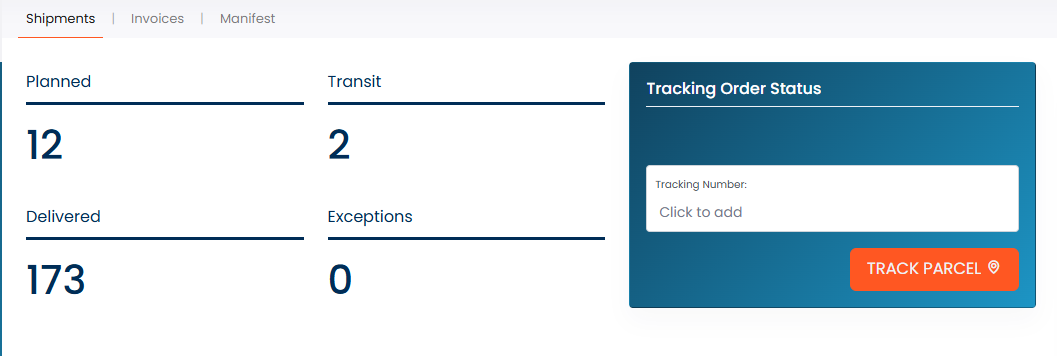
- The dashboard displays the total number of Planned, Transit, Delivered, and Exception shipments.
- Use these counters to quickly understand the current shipment status distribution.
- You can directly track a shipment by entering a tracking number and clicking the Track Parcel button.
Step 2: Check latest shipments
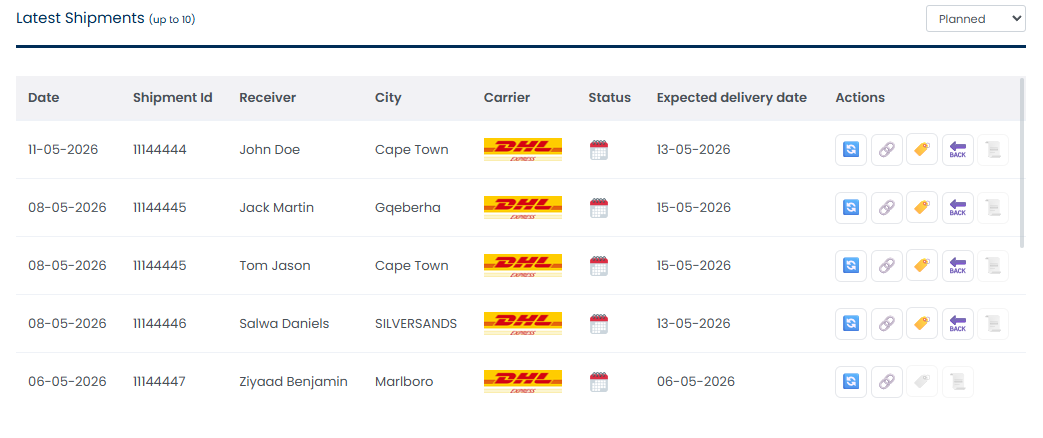
- The Latest Shipments table displays your 10 most recent shipments.
- Use the dropdown filter to view the latest:
- Planned shipments
- Transit shipments
- Delivered shipments
- Exception shipments
- Error shipments
- Available shipment actions include:
- Recreate shipment
- Check tracking details
- Download labels
- Download invoices
Step 3: Review invoices
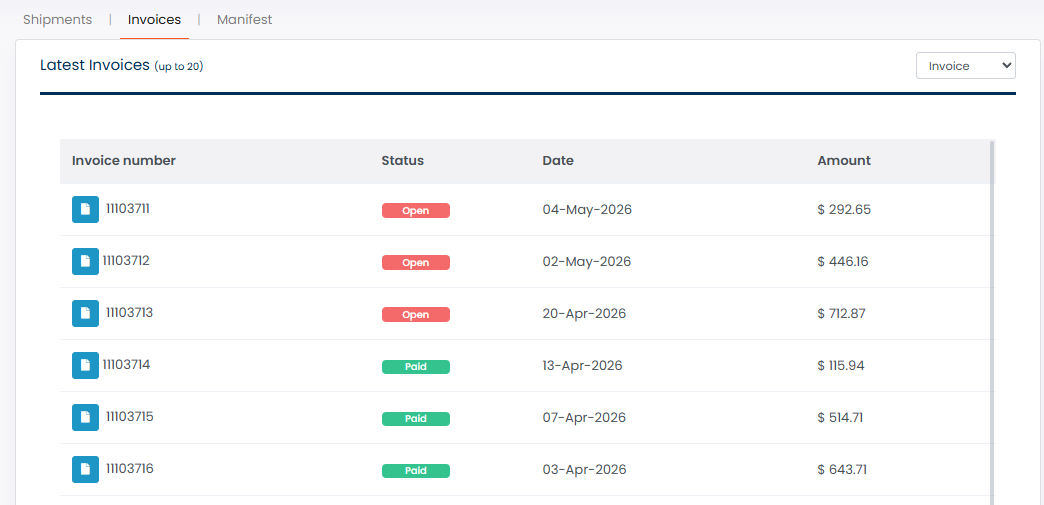
- The dashboard displays your latest 20 invoices.
- You can quickly identify:
- Open invoices (not paid)
- Paid invoices
- Use the available action to download invoices directly from the dashboard.
Step 4: View shipment manifests
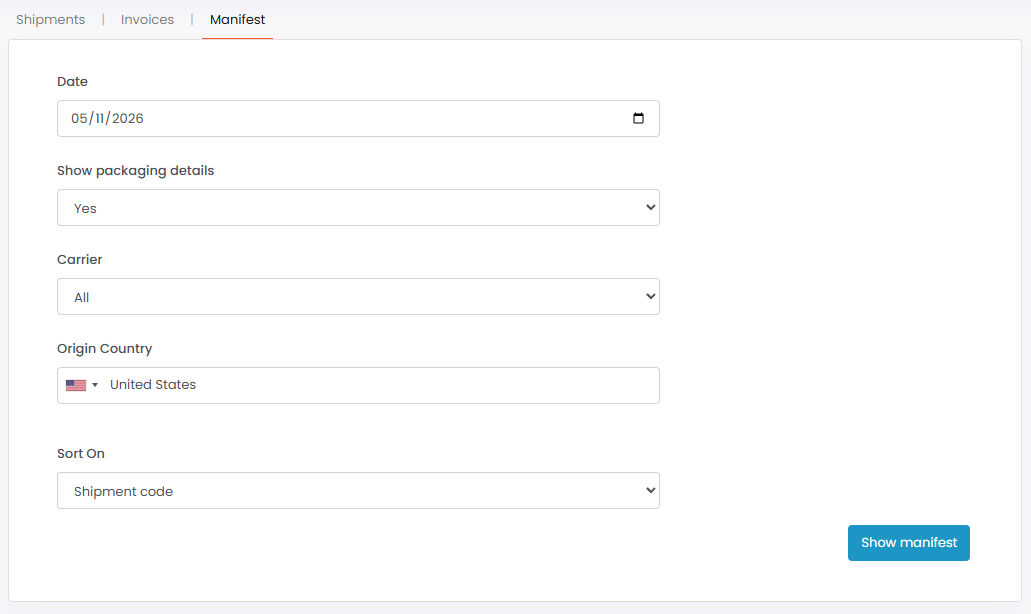
- Access shipment manifest details using the available filters.
- Filter shipment manifests based on your required criteria to quickly locate shipment batches and related information.
Step 5: Quick navigation shortcuts
- Use the quick navigation section to easily:
- Create a new shipment
- Submit a pickup request
- These shortcuts provide faster access to commonly used shipment operations.

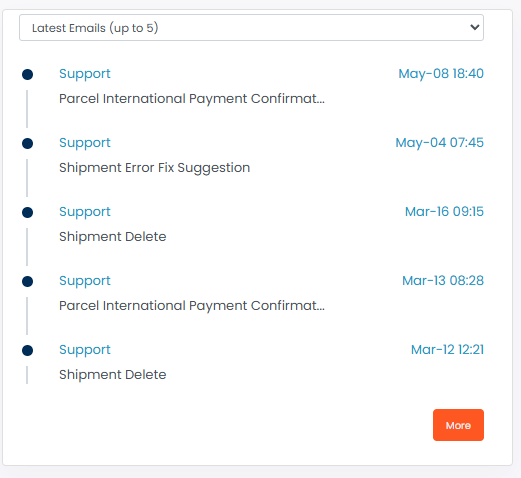
Step 6: Review latest communication activities
- The dashboard displays your latest:
- Emails
- Messages
- Send requests
- Up to 5 recent records are displayed initially.
- Click the More button to view all available records.
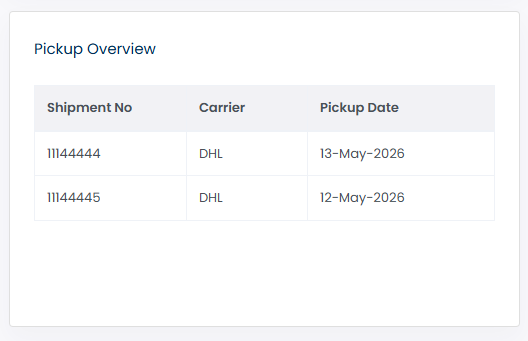
Step 7: Check ongoing pickups
- The ongoing pickups section displays your currently active pickup requests.
- Use this section to monitor pickup progress and shipment collection activities.
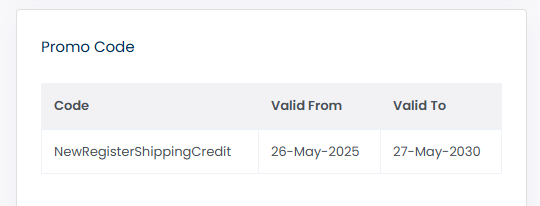
Step 8: View promo code information
- If your account is assigned to a promotion, the promo section displays the available promo code details.
- You can review the assigned promotional information directly from the dashboard.
Tips & Tricks
- Use the shipment status filters regularly to quickly identify shipments requiring attention.
- Track shipments directly from the dashboard to save time.
- Review exception and error shipments frequently to resolve shipment issues early.
- Download invoices regularly to keep your billing records organized.
- Use quick navigation shortcuts for faster shipment and pickup management.
- Monitor ongoing pickups to ensure collections are completed on time.
This guide is about the customer portal. No account yet? Create one for free.
Still stuck?
Our support team is here for you 24/7.