
API Keys
This guide explains how to manage API keys and access API documentation for integrating with the Parcel International API.
API keys are required to authenticate requests and securely connect your applications with Parcel International services.
Using the API management section, developers can generate, monitor, disable, and delete API keys while tracking API usage activity.
Open the API Keys page from the left-side menu or directly at transportal.parcelinternational.com/user/apikeys.
Step 1: Manage your API keys

Add Key
- Click the + Add Key button to generate a new API key.
- Each generated key acts as a unique identifier for API authentication.
- Newly created keys can immediately be used within your applications or integrations.
Activated Status
- The Activated column indicates whether the API key is currently active.
- A checkmark confirms the key is enabled and ready for use.
- Disabled keys cannot access the API until reactivated.
Check API Call Details
- Click the API Calls button to review usage statistics for a specific API key.
- This section displays the number of requests made using the selected key.
- Monitoring API activity helps identify unusual usage or integration issues.
API Documentation
- Always refer to the Parcel International API Documentation for:
- API endpoints
- Request and response formats
- Authentication methods
- Integration examples
- Error handling details
- The API documentation provides the technical details required for successful integrations.
Step 2: Perform API security actions
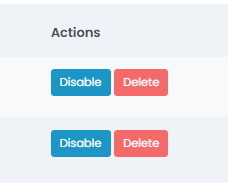
Disable API Key
- Use the Disable button if:
- You suspect the API key has been compromised.
- Temporary maintenance is required.
- You want to temporarily block API access.
- Disabled keys stop working immediately but can be reactivated later.
Delete API Key
- Use the Delete button to permanently remove an API key.
- Deleted API keys cannot be recovered.
- Any software or integration using the deleted key will immediately lose API access.
Warning: Deleting an API key is permanent and cannot be undone.
Tips & Tricks
- Rotate API keys regularly for improved security.
- For high-security environments, consider replacing API keys every 90 days.
- Never share API keys through email, chat, or unsecured communication channels.
- Treat API keys like passwords and store them securely.
- Separate environments help prevent testing errors from affecting live shipping operations.
- Monitor API call activity regularly to detect unusual traffic patterns.
This guide is about the customer portal. No account yet? Create one for free.
Still stuck?
Our support team is here for you 24/7.